


The building as a data model
BIM as-built models: components instead of lines
Modelled from the point cloud, at the agreed level of detail, native in your CAD system.
What an as-built model is
A BIM as-built model consists of components rather than lines: a wall is a wall with thickness, height and material; a door is a door with a clear dimension and an opening direction. Metrika360 models as-built models from the point cloud at LOD 200 to 300, structured by architecture, structure and building services, native in Revit or ArchiCAD and vendor-neutral as IFC. Unlike a design model it shows the actual state: the building as it stands, not as it was once intended.
How the point cloud underlying every model comes about is set out under 3D laser scanning: terrestrial, on the move or by drone, including while the building stays in use.
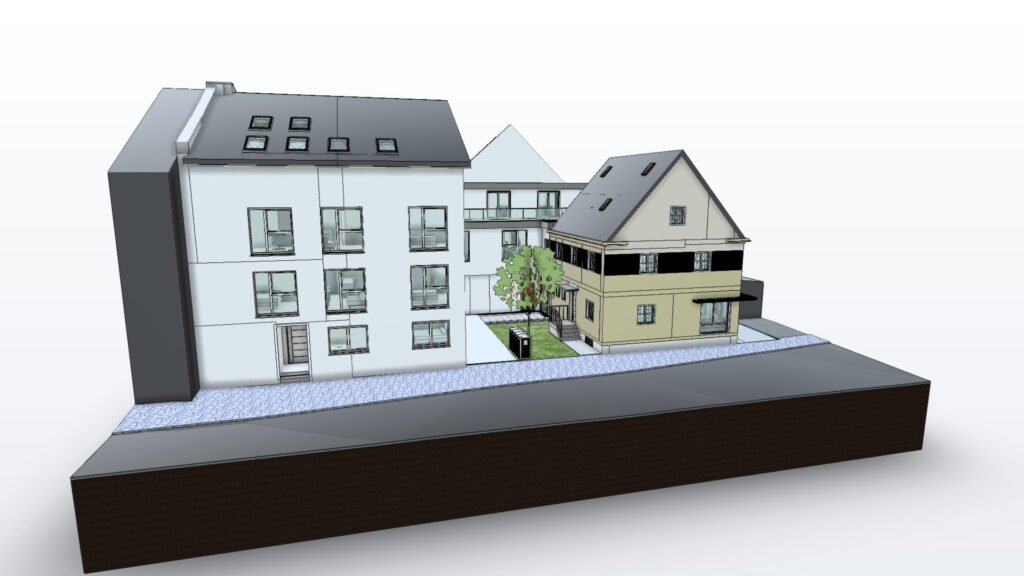
Scan-to-BIM, as-built model, existing-building model
Three words for the same thing and a fourth that means something else. Scan-to-BIM describes the route: from the laser scan to the point cloud, from the point cloud to the component. As-built model and BIM existing-building model describe the result, that is the model of the built state. Anyone searching for one of these terms is in the right place — the same thing is meant each time.
What is not the same is the as-built comparison. That sets a finished model against a later capture and shows where building followed the design. It presupposes a model instead of producing one — and is therefore the step after this one, not this one itself.
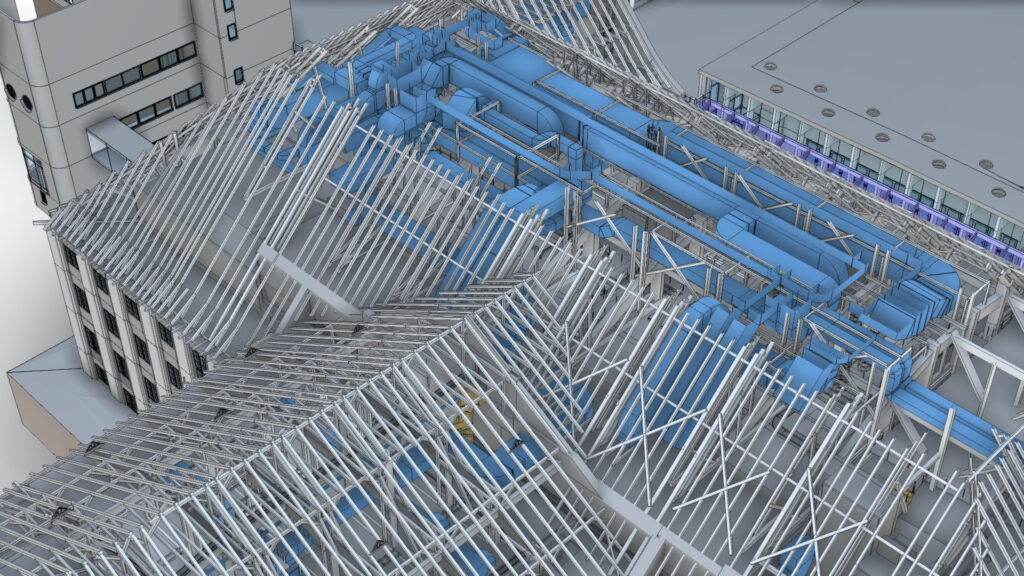
Scan-to-BIM: from point cloud to model in five steps
Kick-off
Objective, level of detail per discipline, extent of attributes and accessibility.
Capture on site
Terrestrial, mobile or by drone, without interrupting operations.
Processing and registration
The individual scans are computed into one georeferenced overall point cloud, cleaned and checked.
Modelling
Component by component from the point cloud, at the agreed level of detail, and if you wish directly in your CAD system.
Quality assurance and handover
The model is checked against the point cloud and handed over in the agreed formats.
The level of detail: LOD 200, 250, 300
How fully a component is represented decides both the effort and the usability:
| Level | What is modeled | Typical use |
|---|---|---|
| LOD 200 | Generic geometry, approximate position and size. Topography, furniture and building services usually not included. | An as-built overview, feasibility and area calculation |
| LOD 250 | More accurate dimensions and profiles, building services and topography modelled, furniture as rough volumes. | The economical compromise on large portfolios and the usual level as soon as the services matter |
| LOD 300 | Precise geometry with materials and details: a roof structure with rafters, exact pipework, detailed frames. | Construction and detail design and refurbishment in existing buildings |
The level does not have to be the same for the whole building. Structure and envelope are often modelled to a higher level than the fit-out; architecture at 300 and building services at 200 is a normal arrangement. “LOD 300” on its own is not an order — only the level per discipline makes quotations comparable. The full definition per level is in our drawing and modelling standard, and what the levels mean in detail is in the knowledge section.
Geometry is half the truth: the attributes
The scan delivers what is visible: position, form, dimension, surface. What a model is to know beyond that does not come from the point cloud: the layered build-up of a wall, the material behind the surface, the year of construction of a component, the fire rating of a door. That information is taken from documents, collected on site or established by opening up — and precisely this enrichment decides what the model can do later.
We therefore label cleanly: measured as measured, adopted with its source, assumed as an assumption. A model in which everything looks equally certain is more dangerous than one with honest gaps. Which attributes your purpose needs we settle before modelling, because enriching afterwards costs more than planning it in. How much information is enough for a purpose is described by the level of information need.
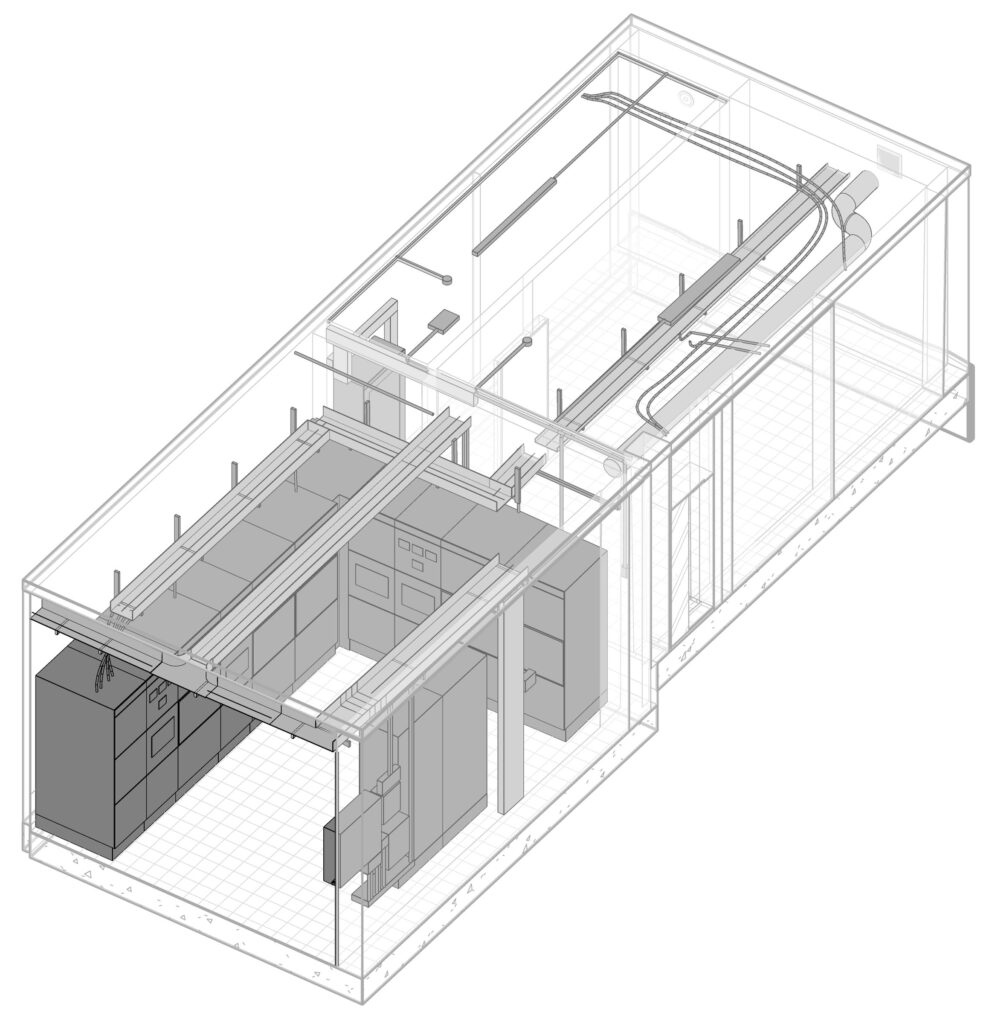
Checking is against the capture
An as-built model is finished when it holds up against the point cloud, not when it looks finished. The illustration shows the same partial model twice: on the left as a model, on the right over the capture data it came from. Where the two diverge, either the modelling is wrong or the building departs from the drawing. Both have to be on the table before the design work, not after.
With us, capture, modelling and validation lie in separate hands: a six-eyes principle. How the same comparison runs during construction is set out under as-built comparison.
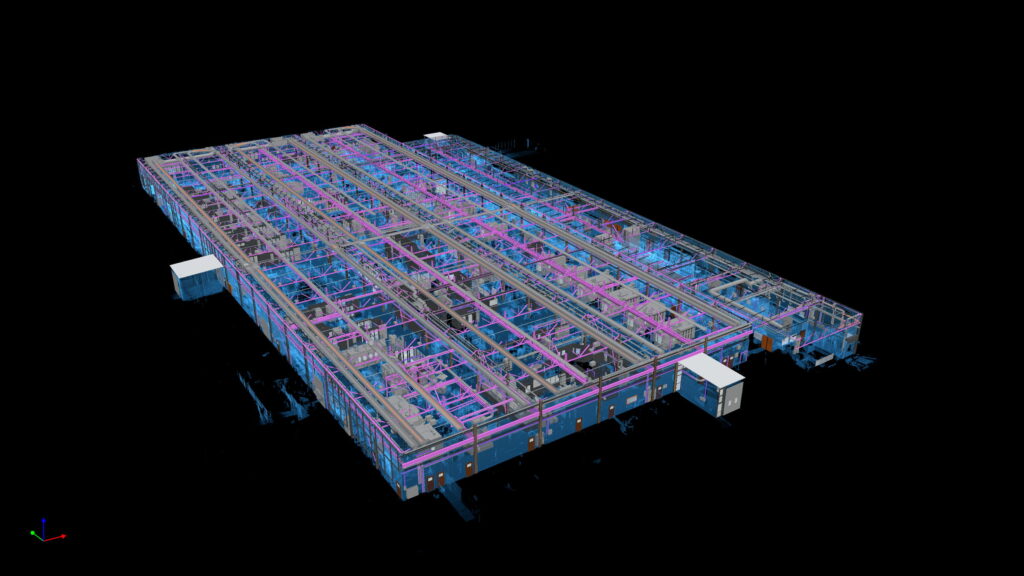
Straightened or deformation-accurate
The standard is the straightened model: walls plumb, floors level, checked against the point cloud within the agreed tolerance. Where the deformation itself is the information — on a listed building, in a historic roof structure, in a structural assessment — we model deformation-accurately. That is a method of its own with an effort of its own.
Model or likeness
Not every task needs a component model. Anyone documenting a façade, coordinating a measure or recording a condition is often better served by a textured likeness or a virtual tour: it shows the building as it looks rather than how it is built. A model with components, attributes and a level of detail is produced where design work continues on it. Which of the two is needed we settle before the capture and not at handover.
Who for and what for
Architects and specialist designers. Carry on designing directly in the model, native in your own CAD system, without rebuilding the basics.
Developers and refurbishment. The model carries the refurbishment concept, the funding record and serial prefabrication, and the marketing documents fall out of it as a derivation.
Contractors. A basis for execution and settlement, updatable over the course of construction.
Construction progress documentation As-built comparison
Portfolio holders and facility management. The room book and CAFM master data come out of the model, vendor-neutral in IFC, DWG and Excel.
Modelled native, handed over neutral
Where possible we model directly in your CAD system, because exchange via IFC or DWG is lossy: parameters, families and visibility rules often do not survive the export intact. You receive RVT for Revit or PLA/PLN for ArchiCAD, plus IFC as the vendor-neutral exchange format, 3D DWG as required and the point cloud as E57. Areas in the model follow DIN 277.
The 2D plan set is already in there
Anyone who has the model gets the drawings cheaply on top: floor plans, sections and elevations are derived from the model rather than drawn anew, with room stamps, dimensions and areas to DIN 277. The geometry and the areas are already in the model, so the additional effort is correspondingly small.
And who designs with it now?
The as-built model is half the refurbishment design: the basics established, the geometry checked, the areas dependable. Your designer carries on directly in the model, or we take on the design in the existing building ourselves, from concept to building application.
You already have a point cloud?
Then we model from it. You send us the point cloud in E57, LAS/LAZ or RCP/RCS, we check registration, completeness, point density and coordinate reference, and tell you which LOD can be dependably derived from it. Only then do you get a quotation. The warranty applies to the modelling from your point cloud, not to its agreement with the building, because the capture was not ours. Recognisable gaps we mark as an assumption; if the quality is not sufficient, we say so before commissioning.
Further reading
- 3D laser scanning – the capture every model grows out of
- MEP modelling – the services in the existing building, as a discipline model of their own
- 2D as-built plans – floor plans, sections and elevations from the model
- LOD 200, 250 and 300 – the levels of detail explained one by one
FAQ on BIM as-built models
What does scan-to-BIM mean?
Scan-to-BIM describes the route from the three-dimensional survey of an existing building to the finished BIM model: the building is captured by laser scanning, the point cloud is registered and a building model with component information is derived from it. The result represents the actual state, not an intended design state.
Which LOD do I need?
LOD 200 for an overview and areas, LOD 250 as soon as the building services matter, LOD 300 for construction and detail design. The level may differ per discipline, and that is exactly how it should be agreed.
What information sits on the components?
From the scan, the geometry. Everything else — layered build-ups, materials, classifications — is taken from documents or collected on site and marked with its origin. The extent of attributes is fixed before modelling.
Do you model in our CAD system?
Yes, by preference: Revit or ArchiCAD native, because the detour via exchange formats costs information. We supply IFC in addition as the neutral format.
How is quality checked?
Against the point cloud, with the tolerance agreed per level of detail. Capture, modelling and validation lie in separate hands.
Can you model from our existing point cloud?
Yes, after checking the data. The warranty then applies to the modelling from your point cloud, not to its agreement with the building.
Do we also get 2D drawings from the model?
Yes, as a derivation with little extra effort: floor plans, sections and elevations with stamps, dimensions and areas to DIN 277.