


Industry and plant engineering: plant documentation from the laser scan
In a production facility that has grown over time, the documentation rarely matches the plant. Every retrofit, every rerouted line, every additional frame was installed at some point and somewhere not recorded. Before the next conversion, that is precisely the expensive unknown. We capture the actual state and turn the plant into a basis that can be checked.
From the site to the pipe
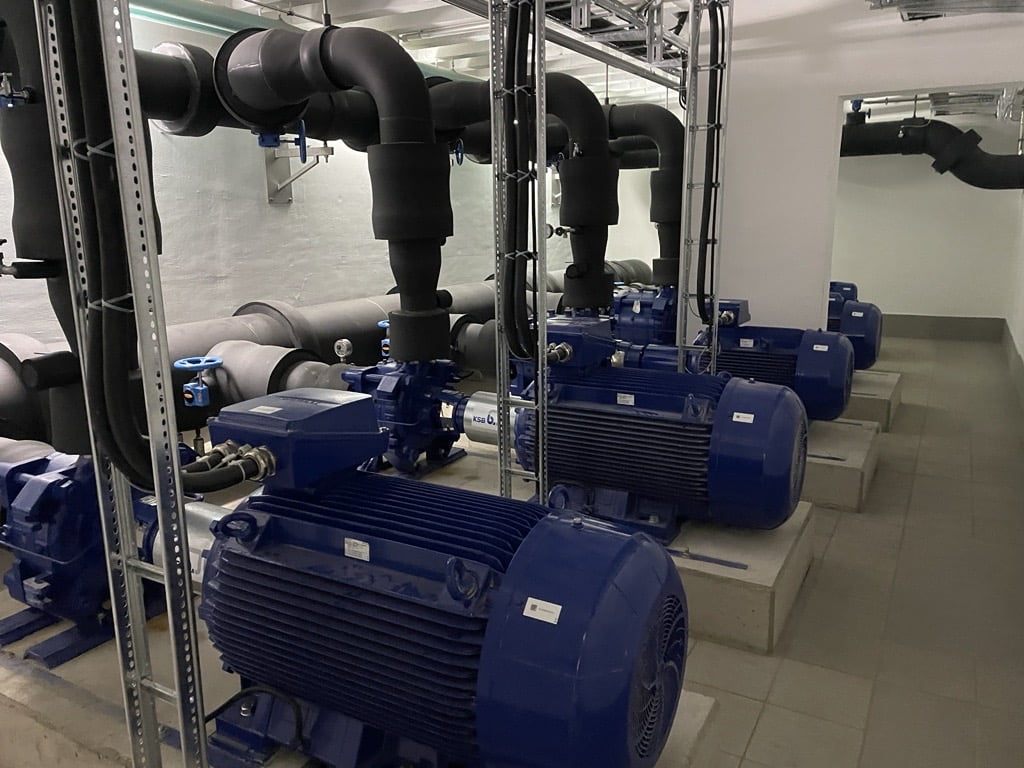
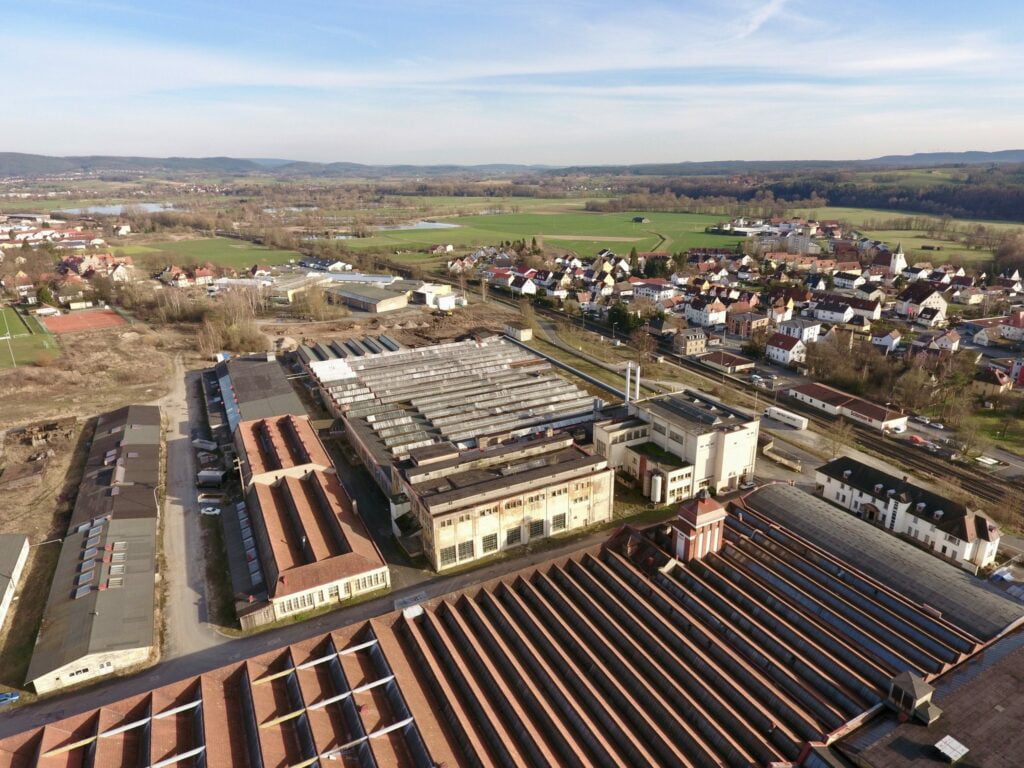
A plant is rarely a single building. It consists of halls, ancillary buildings, pipe bridges and open areas that have grown over decades — and whose drawings stop at different points.
Capture therefore works from the outside in: drone for roof and site, laser scanning for halls and plant rooms, one common spatial reference for both.
Where it goes wrong
The classic failure in plant engineering is the clash that only becomes apparent during installation. A prefabricated component does not fit because a line that appears in no drawing runs exactly where it was meant to go. The downtime then costs many times what a survey beforehand would have cost.
The second case is record documentation. Anyone who hands over, inspects or insures a plant needs documentation that shows its current state and not the state at commissioning.
When the need arises
- Conversion, extension or relocation of a production line
- Prefabrication of pipework and steel structures, when the parts have to fit at the first attempt
- Record and as-built documentation after completion of construction work
- Space and layout planning in warehousing and logistics
- Handover or valuation of a site
How we capture
We capture plant systems terrestrially, with laser scanners from Faro. From the tripod we capture in the sub-centimetre range, and that is necessary for pipework, steel structures and connection points: for prefabrication, the millimetre decides whether the component fits.
We also capture large contiguous hall areas, warehouses and traffic routes with mobile mapping, using a NavVis VLX. In logistics this allows us to cover up to 15,000 square metres a day. This capture is dimensionally accurate and supports layout and area questions, but it does not replace the terrestrial scan of the plant itself. We decide which method is used where before the site visit.
Digital factory and layout planning
The concept of the digital factory is described in VDI 4499 Part 1: a network of digital models, methods and tools held together by consistent data management, with the aim of jointly planning and continuously improving the structures, processes and resources of the real factory.
What this description does not say, but what it depends on: the whole thing needs a captured starting state. We supply that basis. On it, machines and plant can be placed in a model as movable elements and several layout variants compared before anything is moved. Material flow and arrangement determine the productivity of a hall, and both can be checked on the model, not only on the result.
Virtual tour linked to your systems
The same capture produces a walkable tour of the plant. In it, points can be placed that are linked to your existing data sources: what this device is, which medium this line carries, when it was last serviced. The connection runs through the interface of the respective system; anything that offers a web-based interface can usually be connected, and many older systems as well.
The practical benefit lies in collaboration across sites. Anyone who opens the tour sees the same state as their colleague at the other plant, without travelling and without anyone on site having to take photos.
What you receive
- Registered point cloud of the captured area, as the basis for every later check
- As-built model at the level of detail the task requires
- 2D as-built plans with hall grid, axes and elevations
- Sections through the plant at the points where design work is taking place
- On request, a check of a planned component against the point cloud before fabrication
The last point is the one that pays off fastest. Finding the clash in the model costs an hour; finding it on site costs the schedule.
What needs to be settled before the site visit
In running production, preparation decides how the capture day goes. Five points that should be fixed beforehand:
- Access and safety briefing. Safety induction, personal protective equipment, escort. This costs time on the capture day if it has not been arranged beforehand.
- The area. Which hall sections, which parts of the plant, up to where. Often the area around the planned work is sufficient.
- The time window. Shift break, maintenance window or weekend. We work alongside operations, but accessibility is the prerequisite.
- Areas where capture is prohibited. Where capture is not permitted for reasons of trade secrecy, the area is delimited beforehand and not deleted afterwards.
- What gets opened. Cladding, access hatches, suspended ceilings. What stays closed is not in the capture.
How a clash check works
It is the most common occasion in plant engineering, and the procedure is always the same.
The existing installation is captured terrestrially, and the point cloud is registered and checked. The planned component is then placed in the same environment – as a model from your design, not as a reconstruction. Where component and capture intersect, there is a clash.
The result is a list with location and extent, not an error message. Whether an intersection of two centimetres is a problem is decided by your design team – we supply the location and the dimension.
The prerequisite is that the capture is accurate enough. For prefabrication, that means terrestrial. A capture made while walking supports layout and area questions, but not a clash check at the plant.
Further reading
- Scan-to-BIM – from point cloud to as-built model
- Point cloud – what the raw result of a capture is
- LOD 200, 250 and 300 – which level of detail is sufficient for what
- 3D laser scanning – the terrestrial method
- Mobile mapping or terrestrial – how the two methods differ
- As-built plans and models – scope of delivery and formats
- Virtual tours – walkable tour linked to your systems
- For architects and designers – the entry point for design
Frequently asked questions
Does production have to stop for the capture?
As a rule, no. We work during shift breaks or alongside ongoing operations. Only what is to be captured needs to be accessible.
How accurate is the capture?
Terrestrially in the sub-centimetre range, and that is the standard at the plant. For large hall and warehouse areas we use mobile mapping; the result is dimensionally accurate but does not reach the accuracy of stationary capture.
Can we have prefabricated components checked in advance?
Yes. The planned component is placed against the point cloud, and clashes show up before fabrication. This is the most common reason for a capture in plant engineering.
In what format do we receive the point cloud?
In the common open formats, matched to the software you continue working with. This does not tie you to any particular system.
Do you also capture just part of a site?
Yes. Often the area around the planned work is sufficient. We agree the boundaries together before we come.